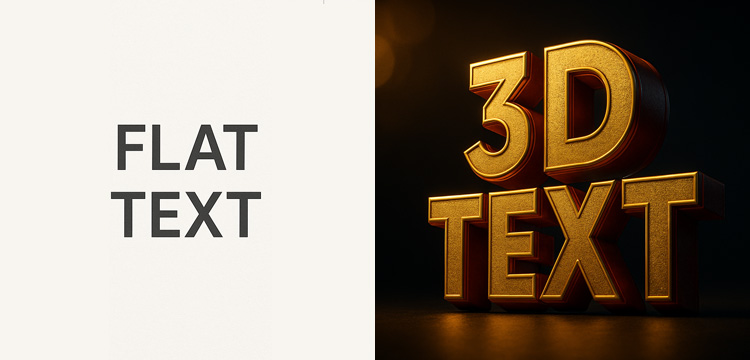
Ever create something and feel like your words just… blend in? You’ve got a great message, but it’s sitting flat on the screen, waiting to be noticed.
What you need is a little bit of pop. And a 3D text generator is the fastest, simplest way to get it.
Forget wrestling with complicated software like Photoshop or Blender. We’re talking about turning your plain text into an eye-catching graphic in the time it takes to brew a cup of coffee. So, let’s dive in and see how you can create professional-looking 3D text online, all by yourself!
So, Why Do Our Brains Love 3D Text?
It’s simple, really. Our eyes are naturally drawn to things with depth and dimension. Flat text is easy to ignore, but 3D text feels like something real you could almost reach out and touch. It has weight. It has presence. It’s the difference between whispering your message and announcing it with confidence.
Your New Design Toolkit: 4 Easy 3D Styles to Master!
Think of these effects as your new creative toolkit. Here are four go-to styles and a few ideas on where to use them.
1. The Power Block.
This is your go-to power move. Just push the text outward into a solid, bold block that’s impossible to miss. It practically shouts from the screen. Think brushed aluminum or polished gold.
2. The Gentle Lift (Soft Drop Shadow)
Sometimes, the simplest tricks are the best. A soft, gentle shadow is all it takes to lift your text off the background, giving it just enough depth to feel separate and important.
Perfect for: Those beautiful quote cards on Instagram, website buttons, or subtitles on a video.A little tip: The secret to a natural look is a soft, slightly transparent shadow. Avoid hard, dark lines here.
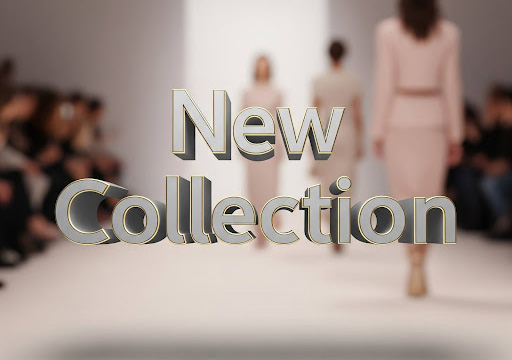
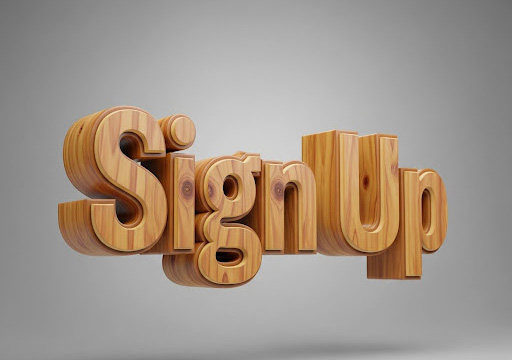
3. The Stamped Look (Engraved Effect)
Ready to flip the script? Instead of popping out, this effect makes your text look like it’s been pressed or stamped into the surface. It’s unique, stylish, and has a cool, tactile feel.
Perfect for different CTA’s like “Sign Up” button, a subtle signature on your art, or a watermark. A little tip: Try this on textured backgrounds! It looks amazing on images of wood, concrete, or thick paper.
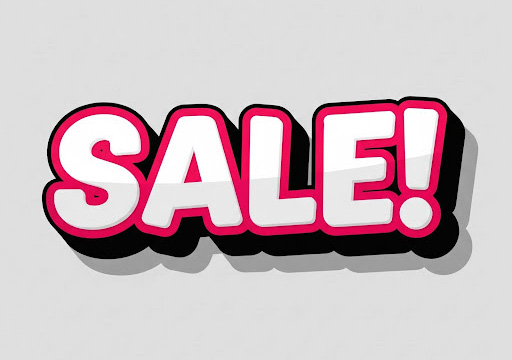
4. The Funky Outline (Sticker Style)
For when you need pure, unapologetic fun. Just combine a thick outline with a 3D shadow for a vibrant, retro vibe that feels like a sticker. It’s pure energy. Perfect for: Instagram Stories that need to grab attention, digital flyers, or any design that’s playful and young.A little tip: Go for high contrast! A light text filled with a dark, bold outline always works wonders.
Okay, Your Turn! Making 3D Text in 3 Clicks
Ready to try it yourself? It’s genuinely this easy. No sign-up needed.
Head over to the Vertex.art 3D Text Maker and type in your words. Play around! This is the fun part. Drag the sliders to add depth, tweak the shadows, splash on some color, and find the perfect font. You’ll see it all change live on your screen. Download and go: Love what you see? Just click download.
You’ll get a perfect, transparent image ready to drop into any project you can dream of. Applying an extrusion effect, changing the color, and clicking download. This shows, not just tells, how easy it is! The Best Part? You’re Already a Designer.
Honestly, the biggest barrier to great-looking visuals isn’t talent—it’s tools.
What used to be locked away in expensive, complicated software is now right here in your browser, waiting for you to play with it. So next time you’re creating something, remember that you don’t have to settle for a flat. You can make your words stand out in just a few minutes.
👉 Ready to give it a spin? Create your first 3D text for free right now.
Nyx is an editor at Vertex Mode and a passionate 3D artist with years of experience in both gaming and film. With a deep love for digital art and visual storytelling, Nyx brings a unique blend of technical expertise and creative vision to every project. From sculpting detailed characters to designing immersive environments, their work reflects a commitment to pushing the boundaries of what’s possible in 3D design.
At Vertex Mode, Nyx not only oversees content but also shares valuable insights into the world of digital art and the creators behind it. They believe that every artist has a story worth telling, and through thoughtful articles and features, Nyx highlights the talent, challenges, and inspiration that shape the creative industry. Their perspective as a working 3D artist allows them to connect with readers in a way that feels both authentic and relatable.
Nyx’s expertise spans across concept development, modeling, and animation for both gaming and cinematic experiences. By blending artistry with technical precision, they continue to explore how digital tools can unlock new creative possibilities.
Through Vertex Mode, Nyx aims to inspire both aspiring and professional creators, offering resources, insights, and encouragement to thrive in the ever-evolving world of digital art.